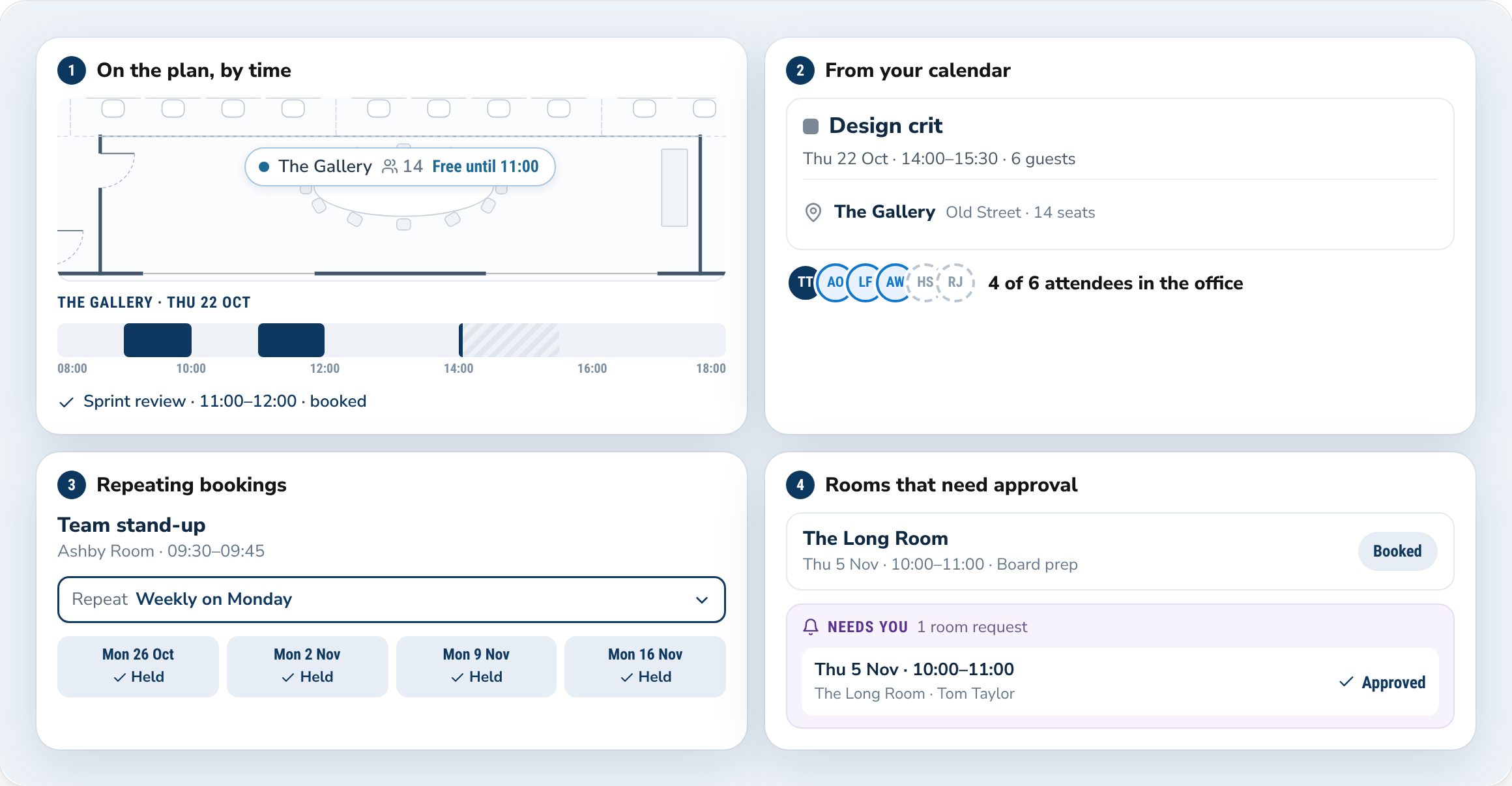
Meeting rooms, by the hour or from the invite.
Book from the plan by the hour, or add a room to a Google Calendar or Outlook invite and it's booked. Repeat it every week, and set approval for the rooms that need it.
Your people book desks and rooms, and see who's in. You set up the floors, set the days that matter, and see how the office is used.
The web app
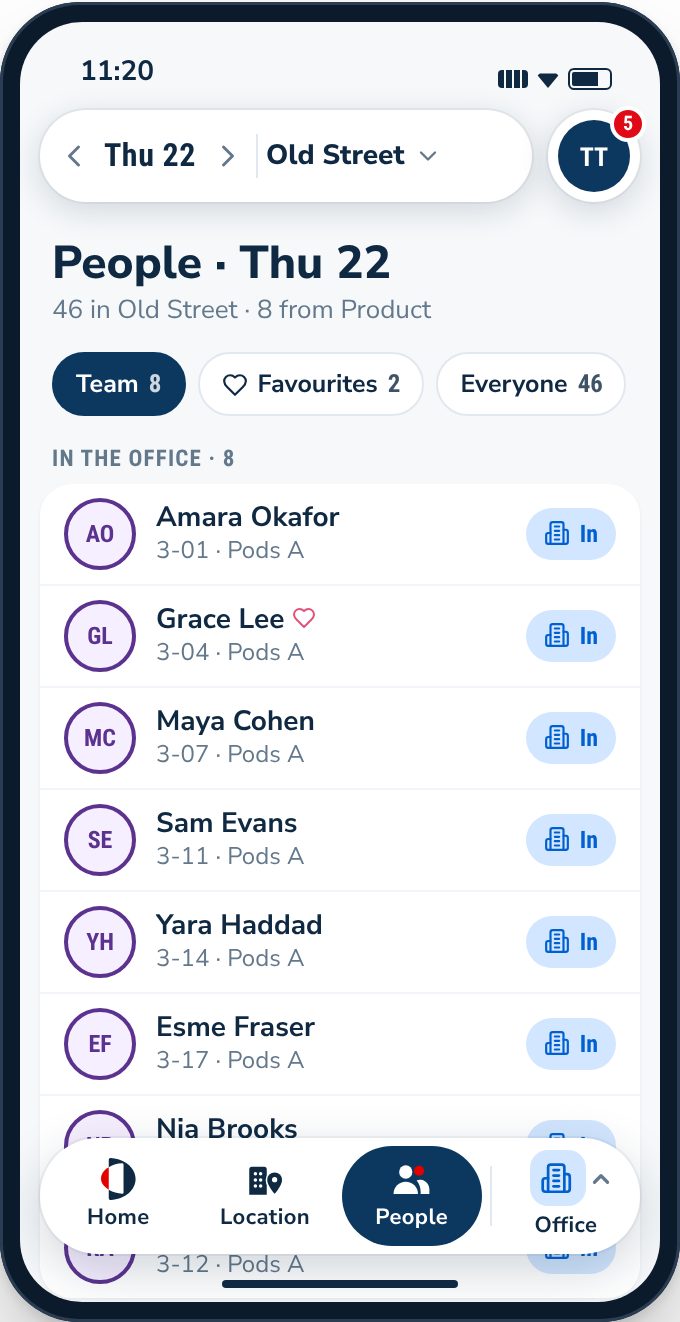
Your people plan their week, see who's in, and take the seat next to their team.
For your people
The People page shows the week for the people you work with, favourites and teams first.
Every floor, drawn to scale. See who's sitting where and which desks are open. Tap a desk to book it. No desk yet? DuoMe suggests one next to the people you work with, and says why.
More in DuoMe
Book from the plan by the hour, or add a room to a Google Calendar or Outlook invite and it's booked. Repeat it every week, and set approval for the rooms that need it.
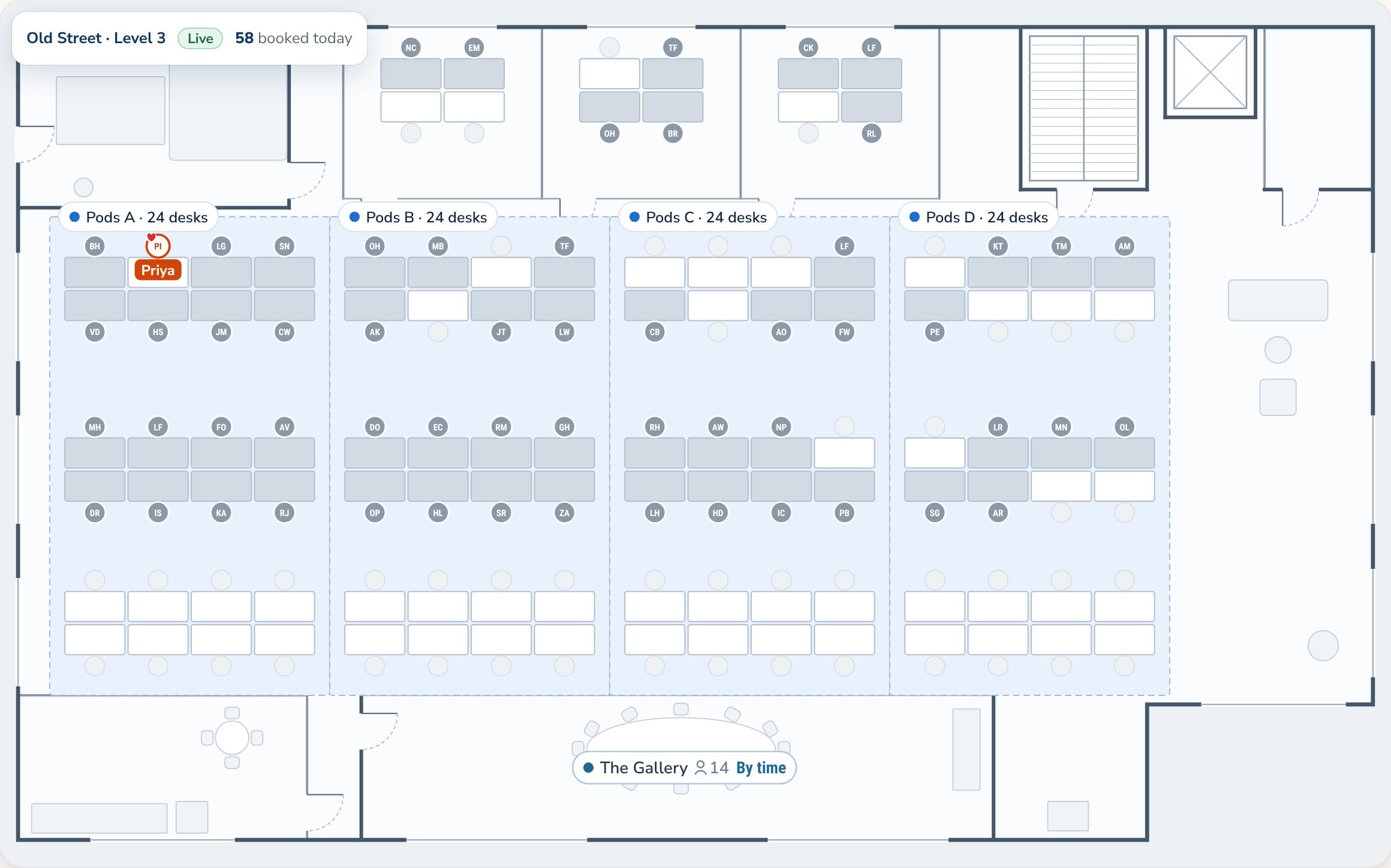
Draw a floor in under an hour. Add desks and rooms, mark out zones, assign the seats that need it, then publish. People can book straight away.
Open DuoMe in your phone's browser. Your desk, your week, and who's in with you, wherever you are.
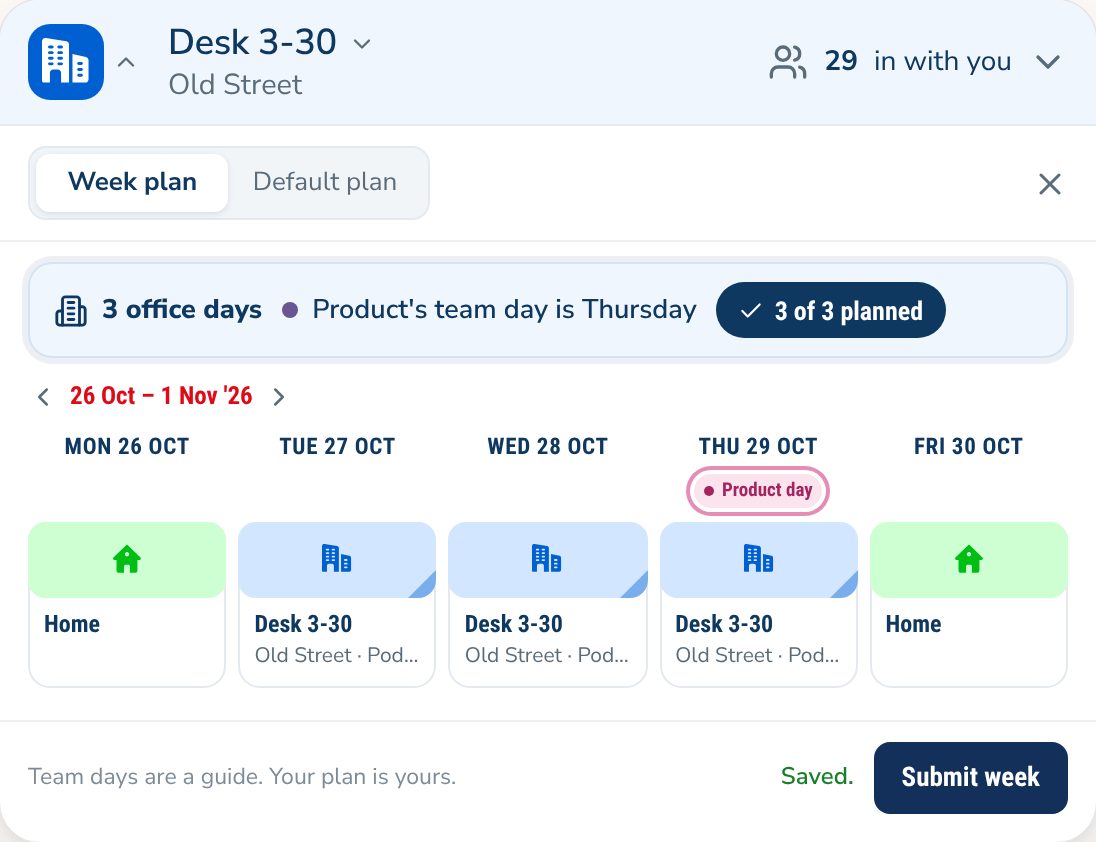
Set expected office days for everyone, or for a team. Add team days if you want them. People see theirs when they plan their week.
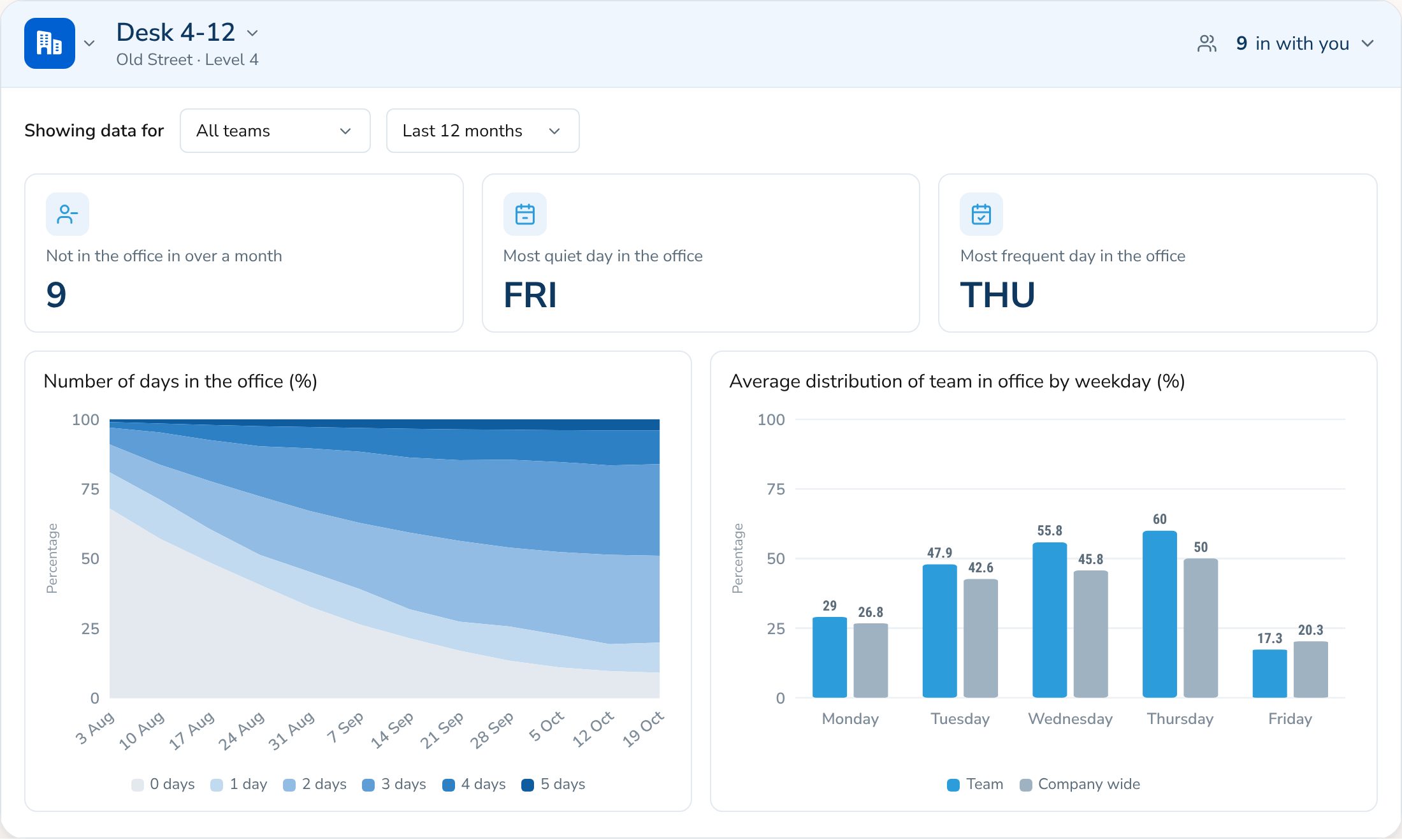
How often people come in. The busiest and quietest days. How much each office is used. Totals, not names.
Your tools
Invite people by email, or let them sign in with Microsoft or Google. Single sign-on is on Business.
Book rooms from Google Calendar or Outlook.
DuoMe runs in the browser, so everyone sees the same live picture.
SCIM, HR system sync and data feeds are available on Enterprise.
Features
Bring your floor plan and headcount. On a short call we'll show you DuoMe working for your team.