Desk and room booking, on one floor plan.

Book today or weeks ahead, from the plan or your calendar. Assign seats by day or for the whole week.

Book a demo

Sound familiar?

More people than desks. Thursday's a scramble.

Everyone comes in on the same days, the seating plan lives in a spreadsheet, and desks sit booked for people who never arrive.

Full Thursday.

Everyone wants the same days, and the last in has nowhere to sit.

Ghost bookings.

Desks held all day for people who stayed home.

The seating spreadsheet.

One person keeps it, and it's out of date by Tuesday.

The web app

Book a desk in two clicks.

Pick a day, tap a desk. Book today or weeks ahead, then switch or release it any time.

Meeting rooms

Book the room from your calendar.

Add a room to a Google Calendar or Outlook invite. It's booked in DuoMe, it shows on the floor plan, and you see which attendees are in that day.

Book by time.

Pick an hour on the room's day, from the plan or the rooms list.

Find a room now.

Filter by what's open now, in the next half hour or the next hour, and by size.

Repeating bookings.

Daily, weekly, monthly or your own pattern. Change one date, or this and the following.

Plus rooms that need approval, attendees told in DuoMe, and drop-in rooms that need no booking.

More in desk booking

Every seat, sorted.

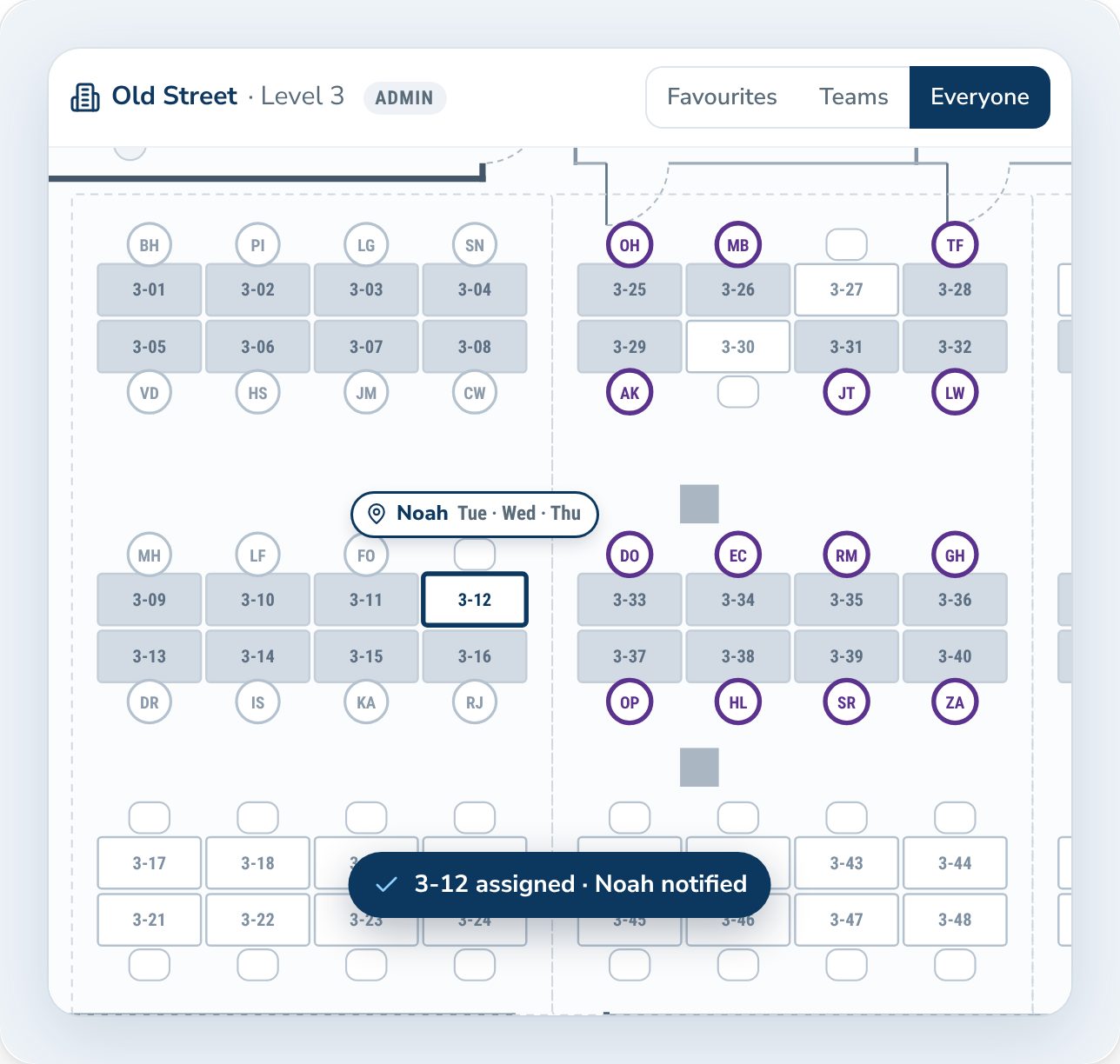
Desk 3-12 assigned to Noah on Tuesday, Wednesday and Thursday

Assign seats by day or for the whole week.

Give someone a desk every day, or only on their days. It's theirs, with nothing to book. Off for the day? They release it and anyone can book it.

  • Every day, or chosen weekdays.
  • Release it for a day, reclaim it after.
  • Lend a desk for a day.
  • Drop-in desks need no booking.
  • Private offices book like desks.
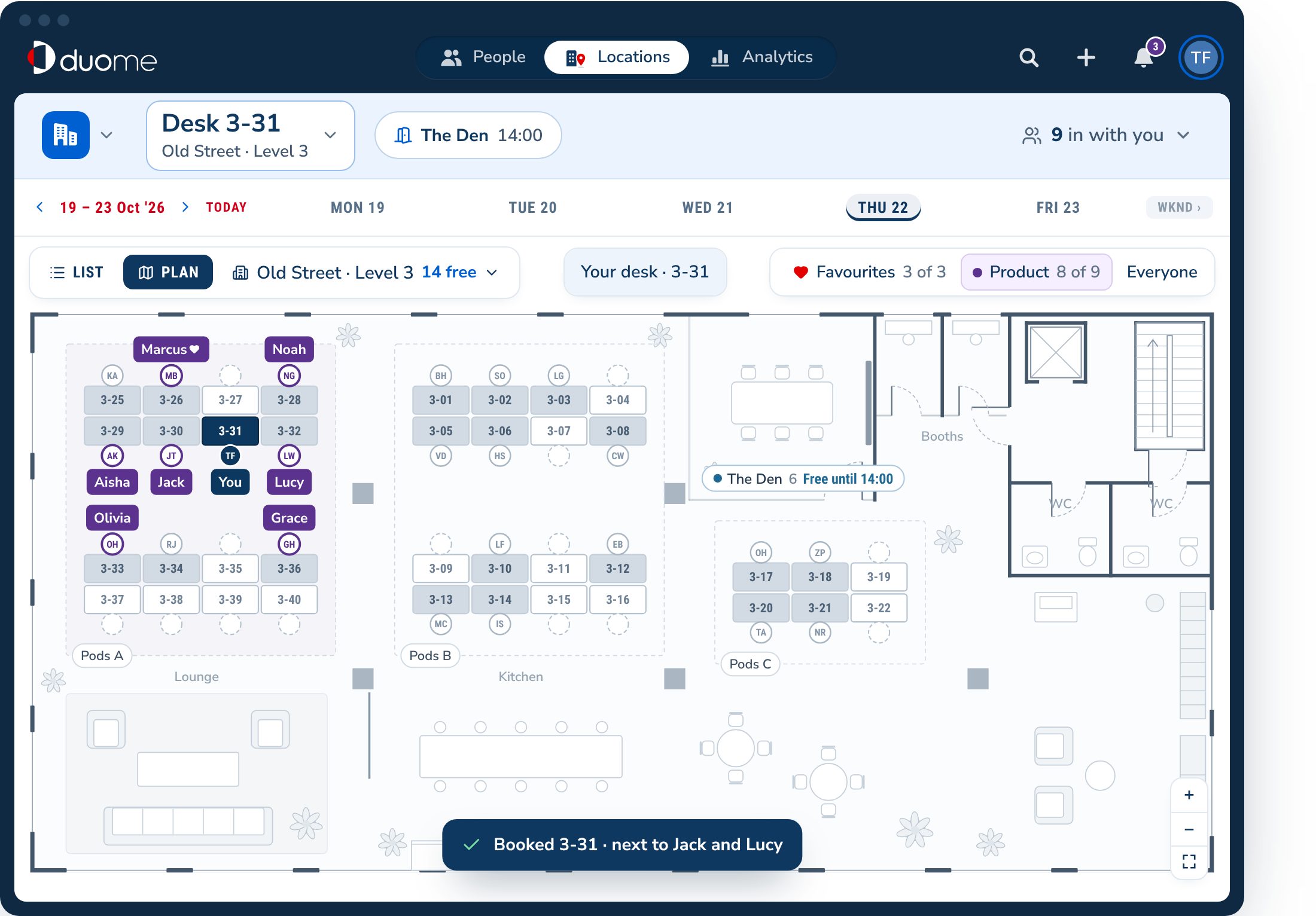
A suggested desk next to Jack and Lucy on Product's team day, booked

A good seat, already suggested.

No desk for the day? DuoMe suggests one and says why. One click books it.

Your usual deskNear your favouritesTeam day · ProductProduct's usual zone

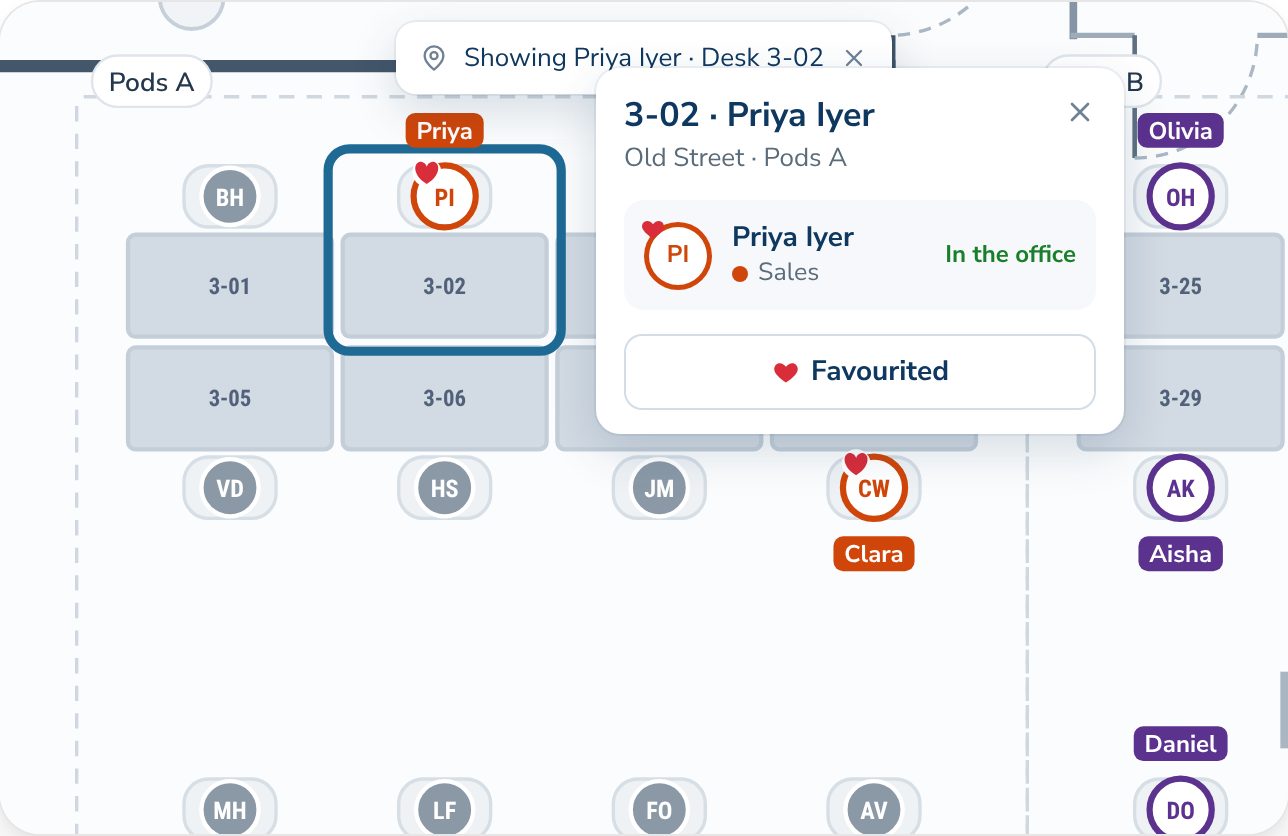
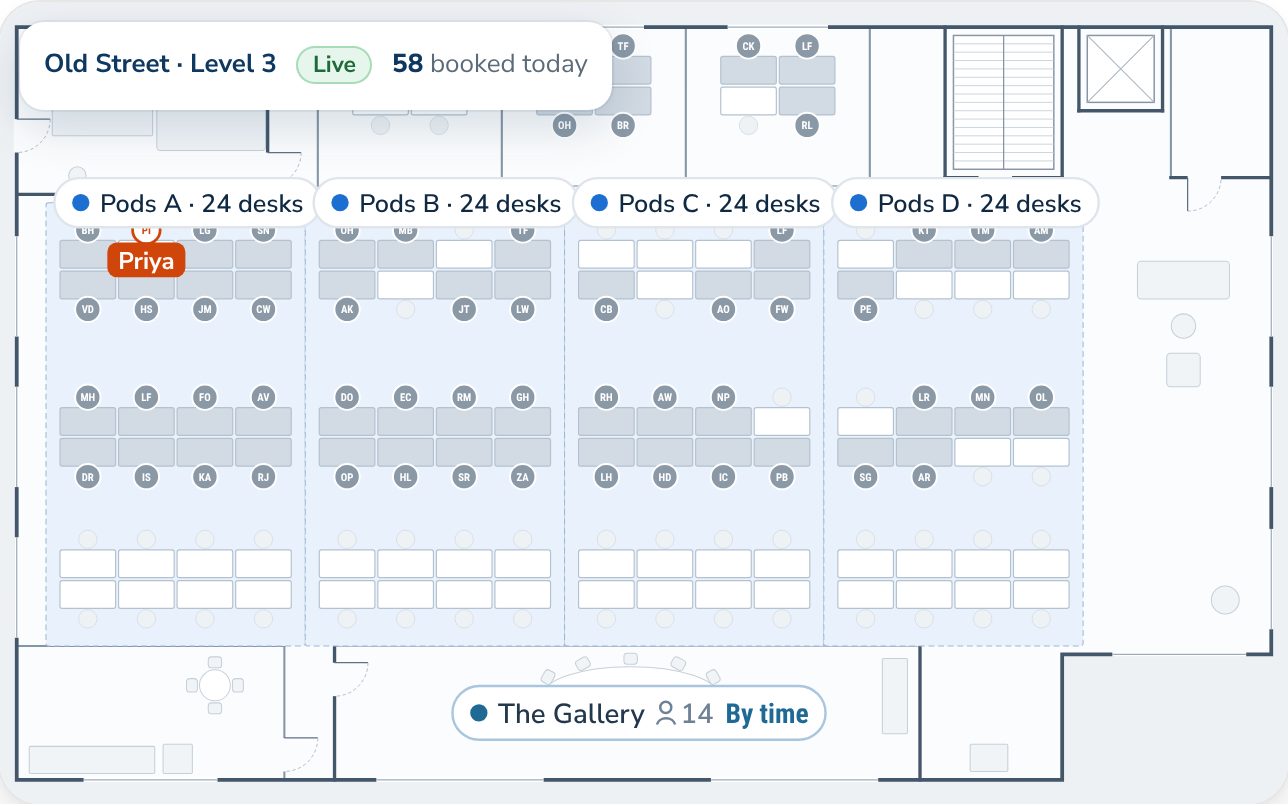
The floor plan showing Priya's desk after a search

See who's in, and sit with them.

Every booking shows on the plan, so you can see who's where before you pick a desk. Search for a colleague and the plan flies to their seat.

  • Show your favourites, your team or everyone.
  • See how many desks are open in each zone.
  • Every office and floor has its own plan.
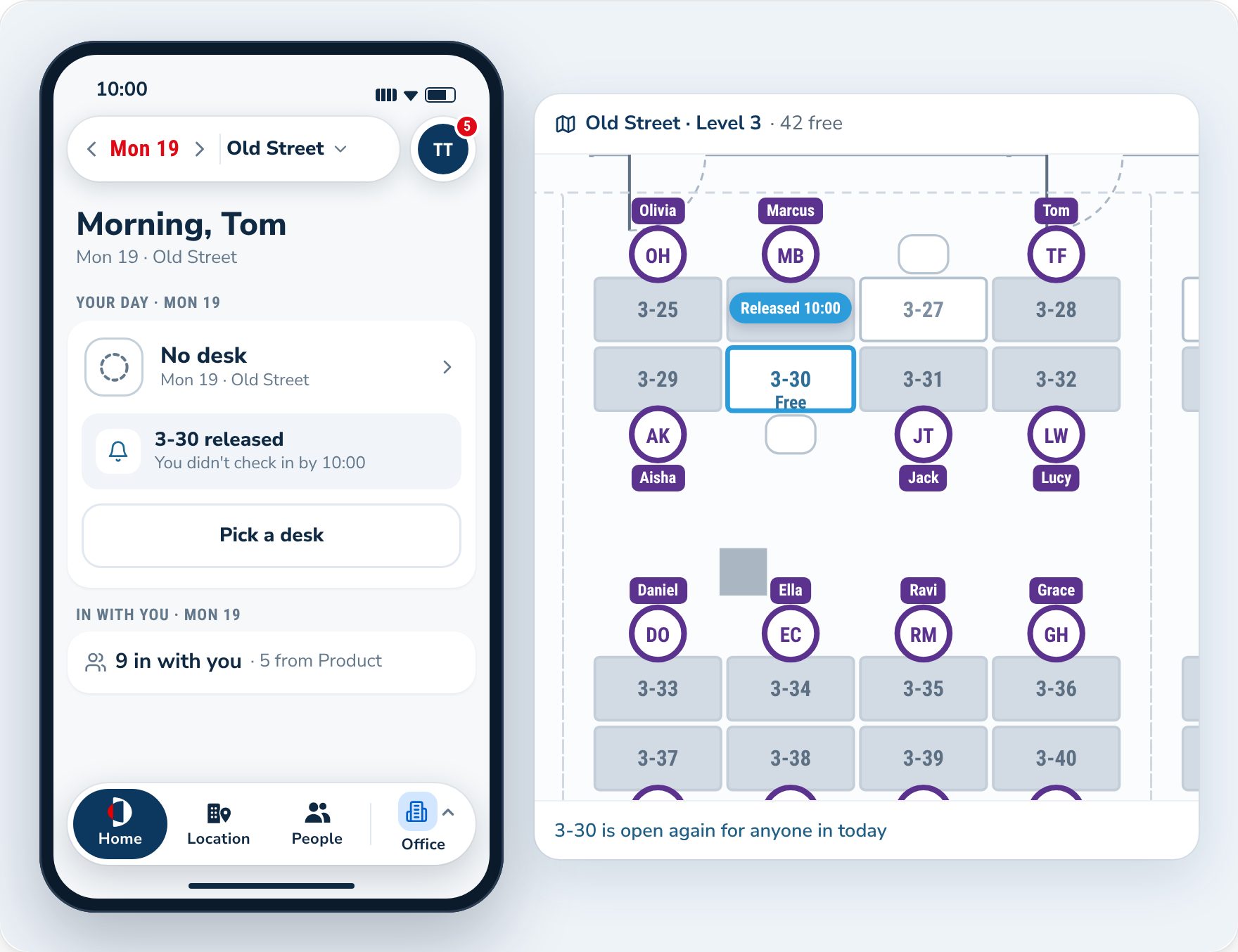
Desk 3-30 released at 10:00 after no check-in, open again on the plan

No-shows don't keep the desk.

People check in when they arrive. Miss the window and the desk goes back on the plan for someone else.

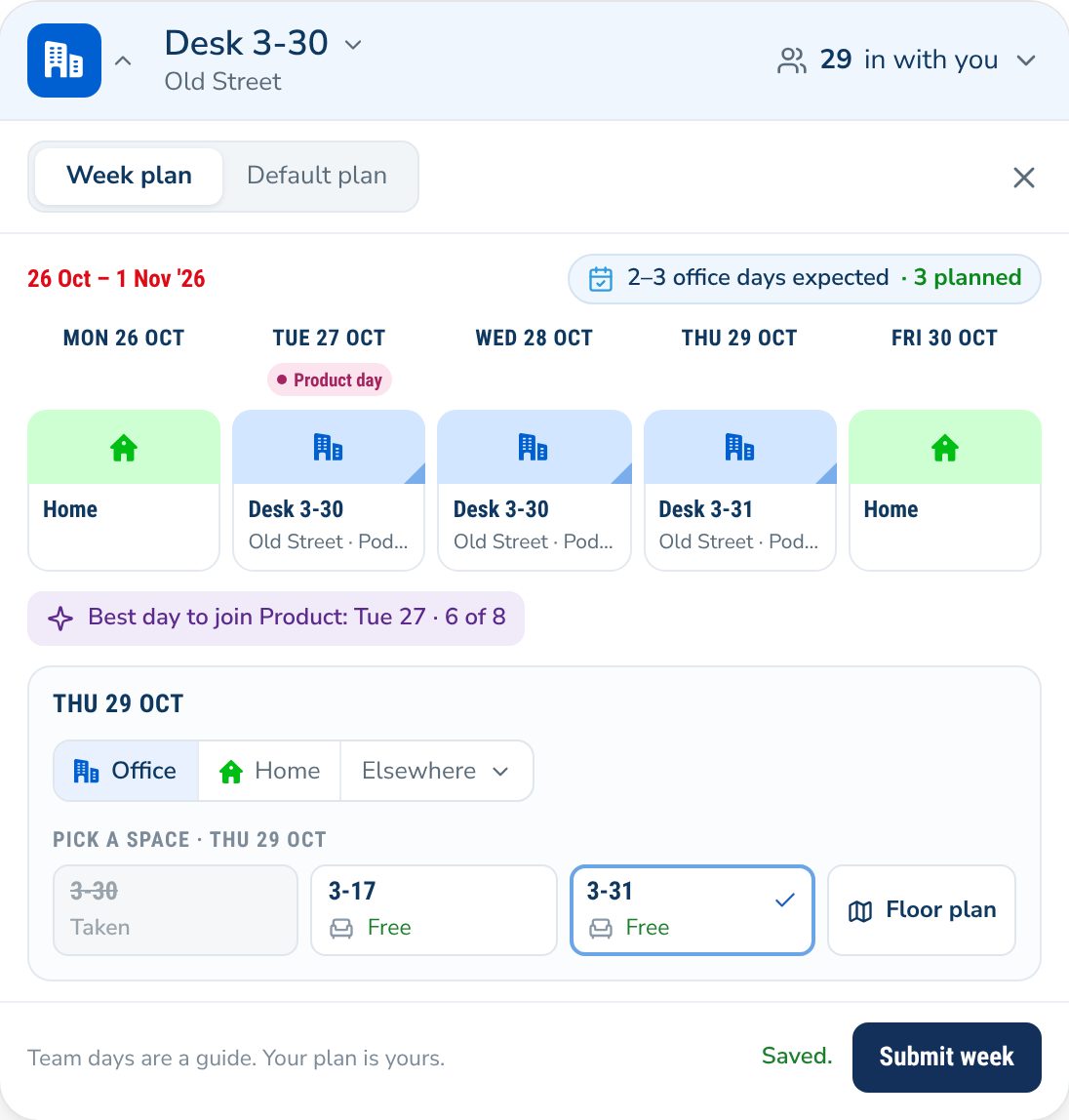
A usual week with a desk for each office day

Set your usual week once.

People can set a usual week once, with a desk for each office day. DuoMe books it every week: their desk if it's open, or a nudge to pick another. Anyone can still book or change a day whenever they like.

Open booking as many weeks ahead as you like.

The floor editor with desks, zones and a room

Draw your floor in under an hour.

Add desks and rooms. Mark out the zones. Assign the seats that need it, then publish, and people can book. No CAD file, no setup project. Rather we drew it? Talk to us.

Features

Everything you need for desk and room booking.

Desks

Book from the plan or a list.

Tap a desk to book it.

Book weeks ahead.

As far ahead as you choose.

Half days.

Book a morning or an afternoon.

Switch or release.

One click. The desk opens up straight away.

Suggested seats.

A good seat, with the reason.

Assigned seats.

Every day, or on chosen weekdays.

Drop-in desks.

No booking needed.

Private offices.

Booked the same way as desks.

Check-in.

No-shows don't keep the desk.

Rooms

Book from your calendar.

Google Calendar and Outlook.

Book by time.

Pick an hour from the plan.

Find a room now.

By what's open and by size.

Repeating bookings.

Daily, weekly, monthly or custom.

Approvals.

An admin says yes first.

Attendees in the office.

See who's in that day.

Drop-in rooms.

No booking needed.

Rooms on the plan.

See which are in use now.

For admins

Book for anyone.

Book, move or cancel a desk.

Lend a desk.

Give an assigned desk to someone for a day.

Booking windows.

Set how far ahead desks and rooms open.

Busiest and quietest days.

Analytics to rebalance the week. Try the planner.

For everyone

Find a colleague.

Search, and the plan flies to their seat.

Favourites and teams.

See your people first.

Every office and floor.

London, New York, wherever. Each with its own plan.

On any phone.

Book and see who's in, in the browser.

FAQ

Desk booking questions

Do people have to plan their week?

No. Anyone can book a desk for any day, whenever they like. Planning the week is optional: people who set a usual week get their desks booked automatically.

Can some people keep a fixed desk?

Yes. Assign a desk every day, or only on someone's days. Everyone else books from the plan.

Can I book a desk for someone else?

Yes. Admins can book, move or cancel a desk for anyone.

What if someone doesn't turn up?

Ask people to check in when they arrive. If they don't, the desk goes back on the plan for someone else.

Does it work with Outlook?

Yes, for meeting rooms. Add the room to an Outlook or Google Calendar invite and it's booked in DuoMe.

Can a room need approval?

Yes. Set a room to need approval and requests wait for an admin. The slot is held while they decide.

Can I book a room every week?

Yes. Repeat daily, weekly, monthly or on your own pattern, until you stop it.

How long does setup take?

Less than a day. Draw your floor in under an hour, add your people, set the assigned desks, and you're ready. Rather we drew it? Talk to us.

See your office in DuoMe.

Bring your floor plan and headcount. On a short call we'll show you how desk and room booking would work for your team.

Book a demo